
Edit a hunt group
A hunt group is used to ring specific groups of users in a predetermined pattern within or across locations when a call is made to the hunt group telephone number.
If your order included a Hunt Group, it has already been created in User Hub with a phone number assigned. Use the steps below to update its call routing, agents, or other settings.
- Log in to User Hub.
- Under Admin, in the left menu, select Services.
- Select Call features and then select the Hunt Group tab.
- Choose the existing hunt group you want to update.
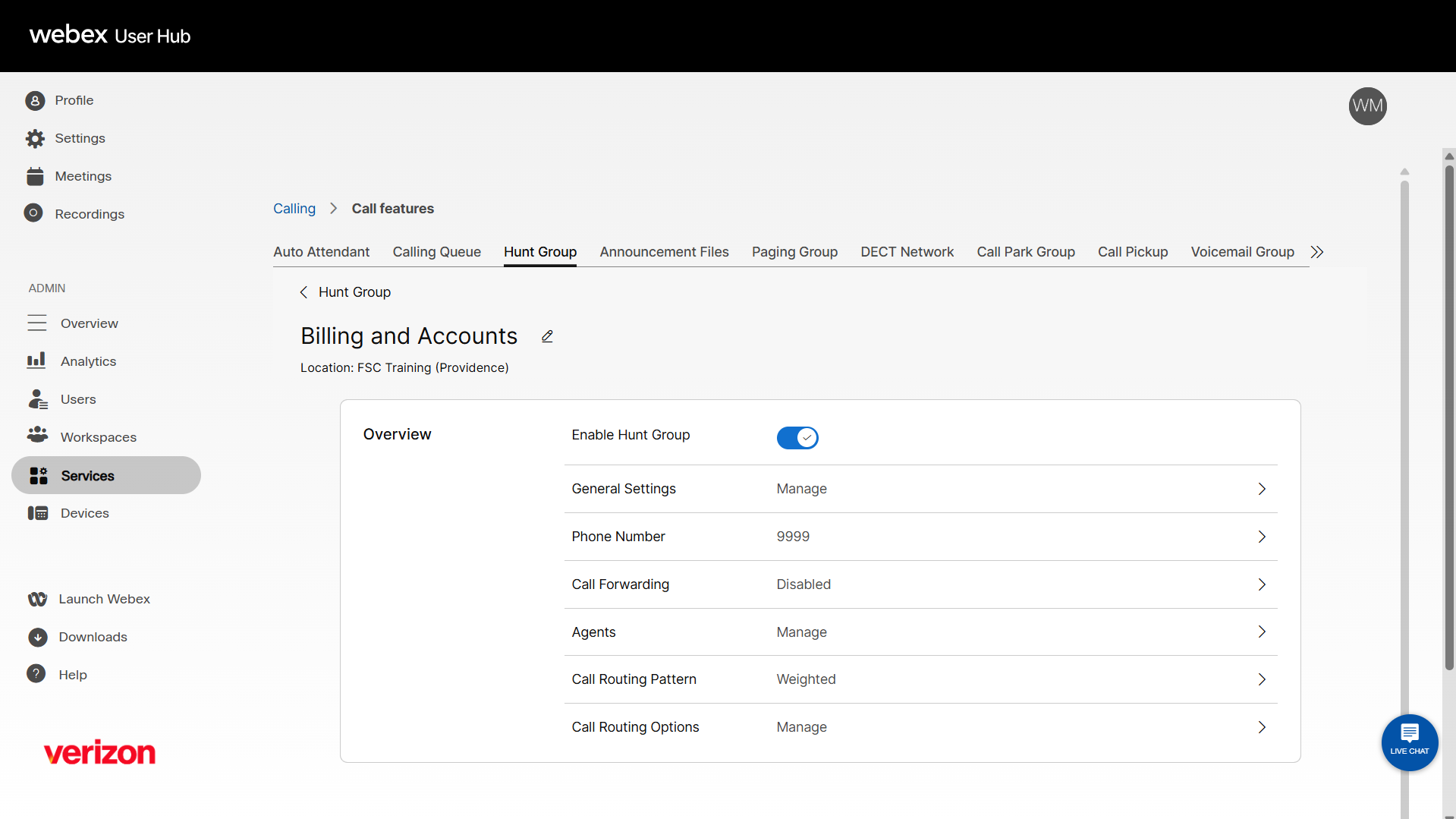
- To edit the name of the hunt group, click the edit icon. Modify the name as desired and click Save.
- Use the toggle to enable or disable the hunt group.
- You can modify additional settings as desired. After updating each section, click Save, then return to the Hunt Group Overview page.
- General Settings include Language, Time Zone, Caller ID, and Dial by name preferences.
- Phone Number - Modify the assigned Phone Number and/or Extension, Alternate Numbers, and Distinctive Ring Pattern.
- Call Forwarding - Enable and configure call forwarding settings.
- Agents - Edit the users, workspaces, and virtual lines assigned to the hunt group.
- Call Routing Pattern - Choose the call routing to assign to the hunt group:
- Circular - Sends calls to users one at a time, always ringing the users in the same order.
- Top Down - Sends calls through the queue of members in order, starting from the top each time.
- Longest Idle - Sends calls to the user who has been idle (that is, not on a hunt group call) the longest.
- Weighted - Sends calls to idle members based on percentages you assign to each member (up to 100 percent).
- Simultaneous - Sends calls to all members assigned to the hunt group at once.
- Call Routing Options - Modify the available settings as desired.

