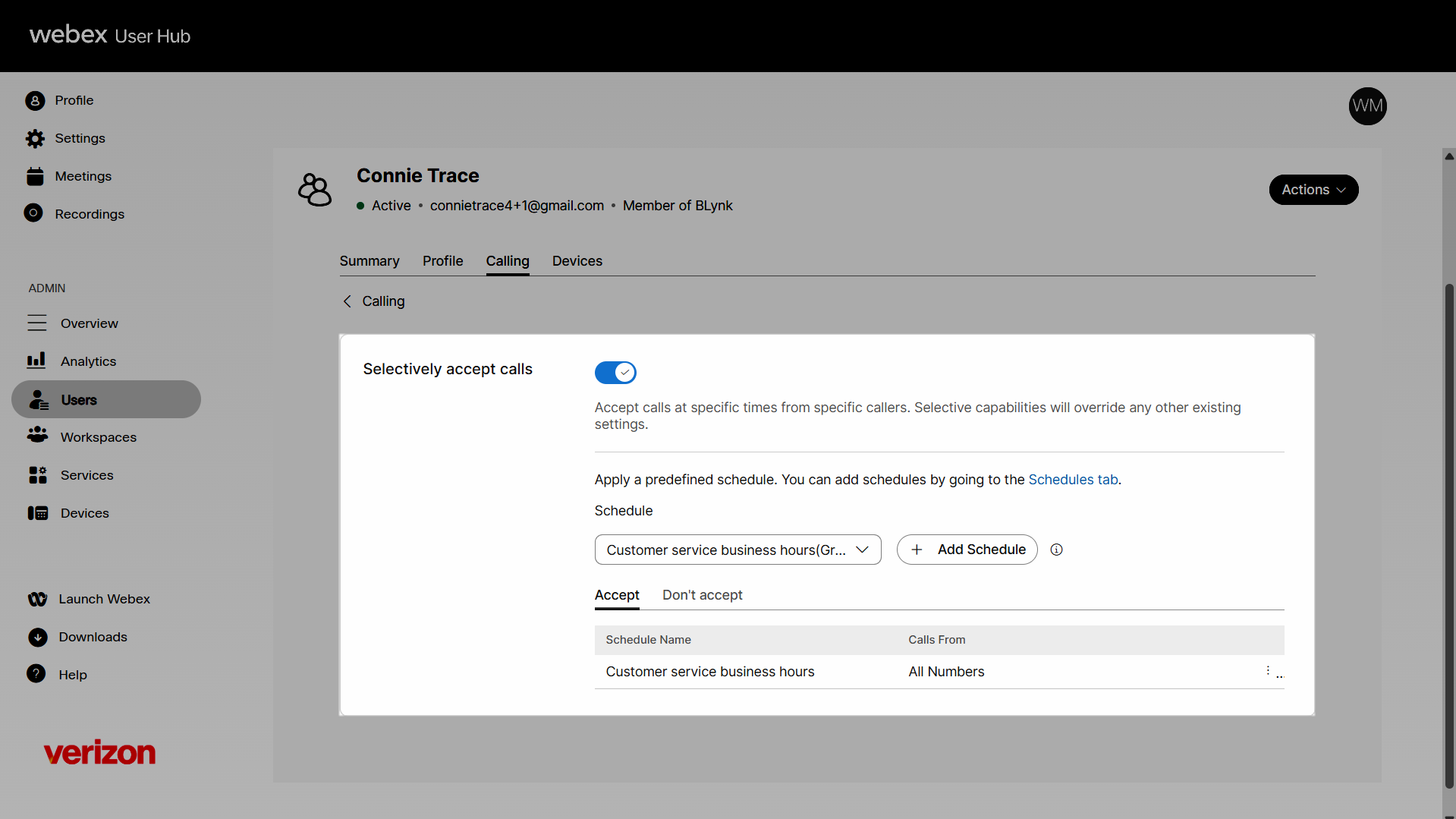
Set up and manage the selective calls feature for a user
Selective calls lets you create different rules to accept, reject, or forward certain calls based on the phone number or the person calling and/or the time of day and day of the week when the calls are received. You can also add schedules that determine when your selective calls are active. Administrators can configure and manage the selective call feature settings for a user.
Selectively accept calls
The Selectively accept calls feature allows you to create a rule to accept calls based on a pre-configured rule. To enable it:
- Sign in to User Hub.
- Under Admin, in the left menu, select Users.
- Select the user you’d like to modify.
- Select Calling.
- Under Call handling, navigate to and select Selectively accept calls.
- Click the toggle button to enable it. To disable it, click the toggle button again.
- Select a predefined schedule from the drop-down menu or create a new schedule by clicking Add Schedule. The Apply a schedule box appears.
- Ensure the appropriate schedule is selected.
- In the Calls From drop-down, you can either accept calls from Any phone number or Select phone numbers.
- Proceed to select whether you Accept or Don’t accept calls during this scheduled time period.
- Click Save.
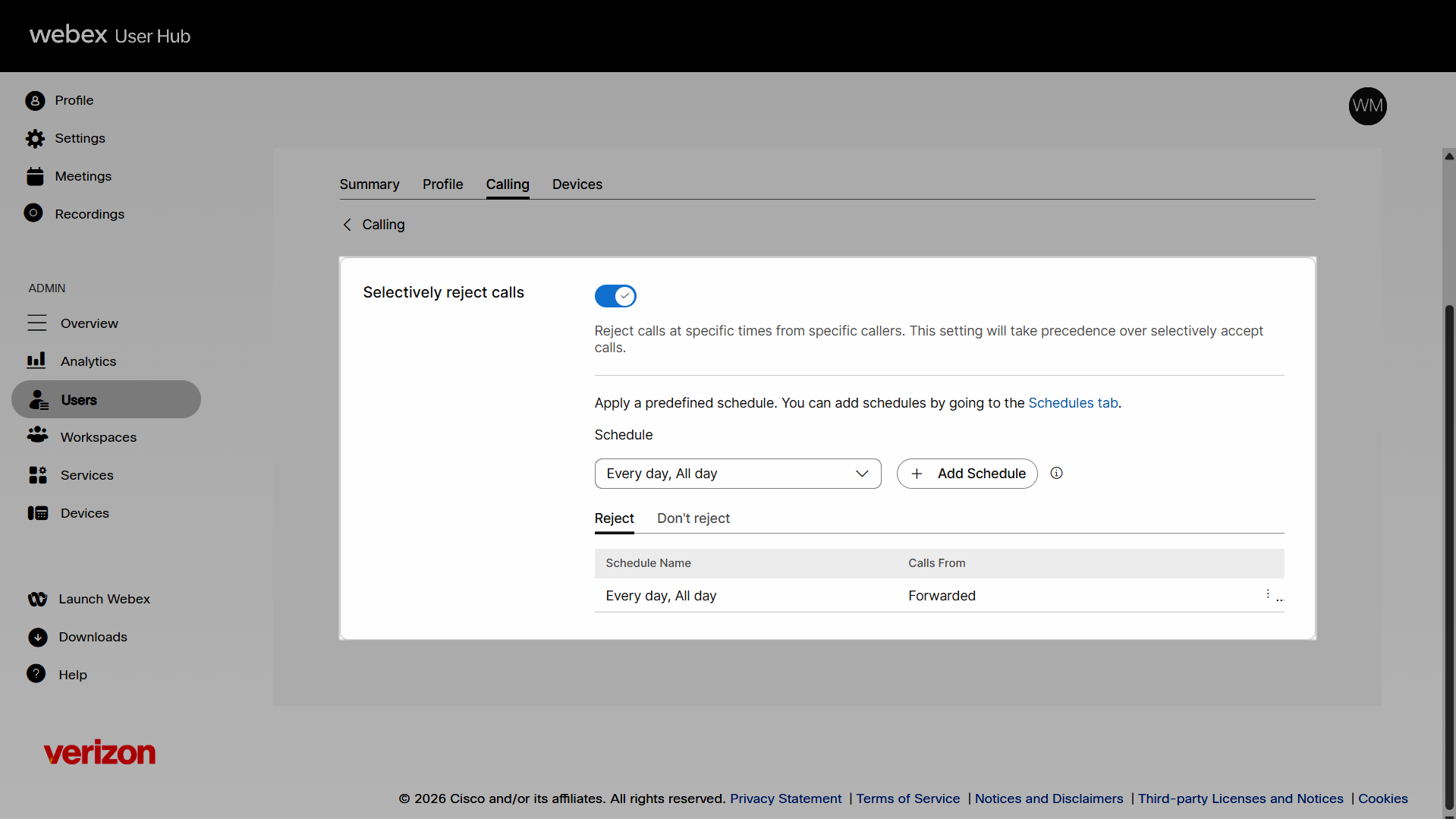
Selectively reject calls
The Selectively reject calls feature allows you to create a rule to reject calls at specific times from specific callers based on a pre-configured rule. To enable it:
- Sign in to User Hub.
- Under Admin, in the left menu, select Users.
- Select the user you’d like to modify.
- Select Calling.
- Under Call handling, navigate to and select Selectively reject calls.
- Click the toggle button to enable it. To disable it, click the toggle button again.
- Select a predefined schedule from the drop-down menu or create a new schedule by clicking Add Schedule. The Apply a schedule box appears.
- Ensure the appropriate schedule is selected.
- In the Calls From drop-down, you can accept calls from Any phone number, Forwarded, or Select phone numbers.
- Proceed to select whether you Reject or Don’t reject calls during this scheduled time period.
- Click Save.
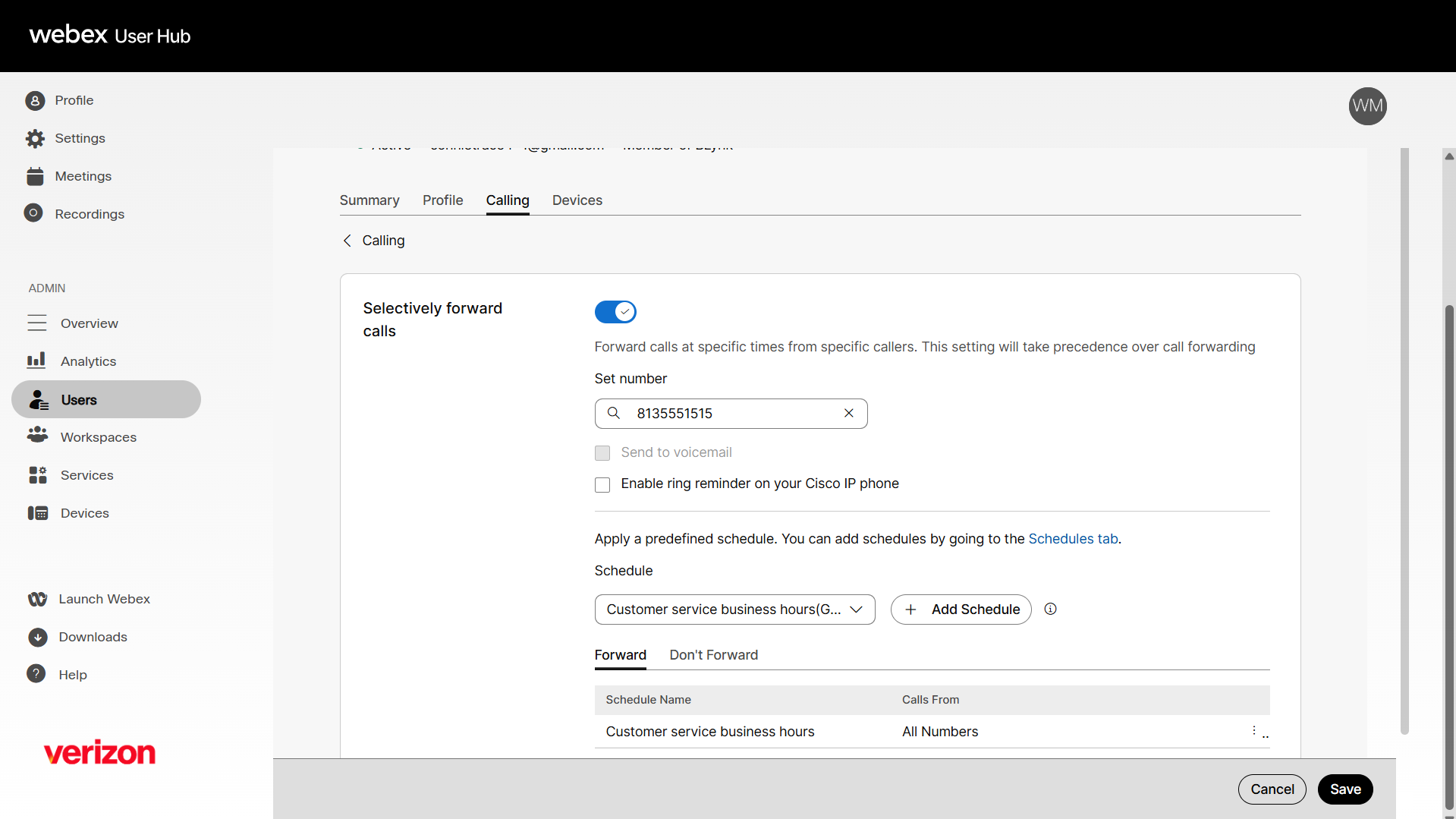
Selectively forward calls
The Selectively forward calls feature allows you to create a rule to forward calls to a designated number based on a pre-configured rule. To enable it:
- Sign in to User Hub.
- Under Admin, in the left menu, select Users.
- Select the user you’d like to modify.
- Select Calling.
- Under Call handling, navigate to and select Selectively forward calls.
- Click the toggle button to enable it. To disable it, click the toggle button again.
- Input a valid phone number to forward calls to.
- Select Send to Voicemail if the number is internal, or Allow ring reminder on your Cisco IP phone to hear a sound notification for forwarded calls.
- Select a predefined schedule from the drop-down menu or create a new schedule by clicking Add Schedule. The Apply a schedule box appears.
- Ensure the appropriate schedule is selected.
- In the Calls From drop-down, you can accept calls from Any phone number, Any external phone number, Any internal phone number, or Select phone numbers.
- Proceed to select whether you Forward or Don’t Forward calls during this scheduled time period.
- Click Save.