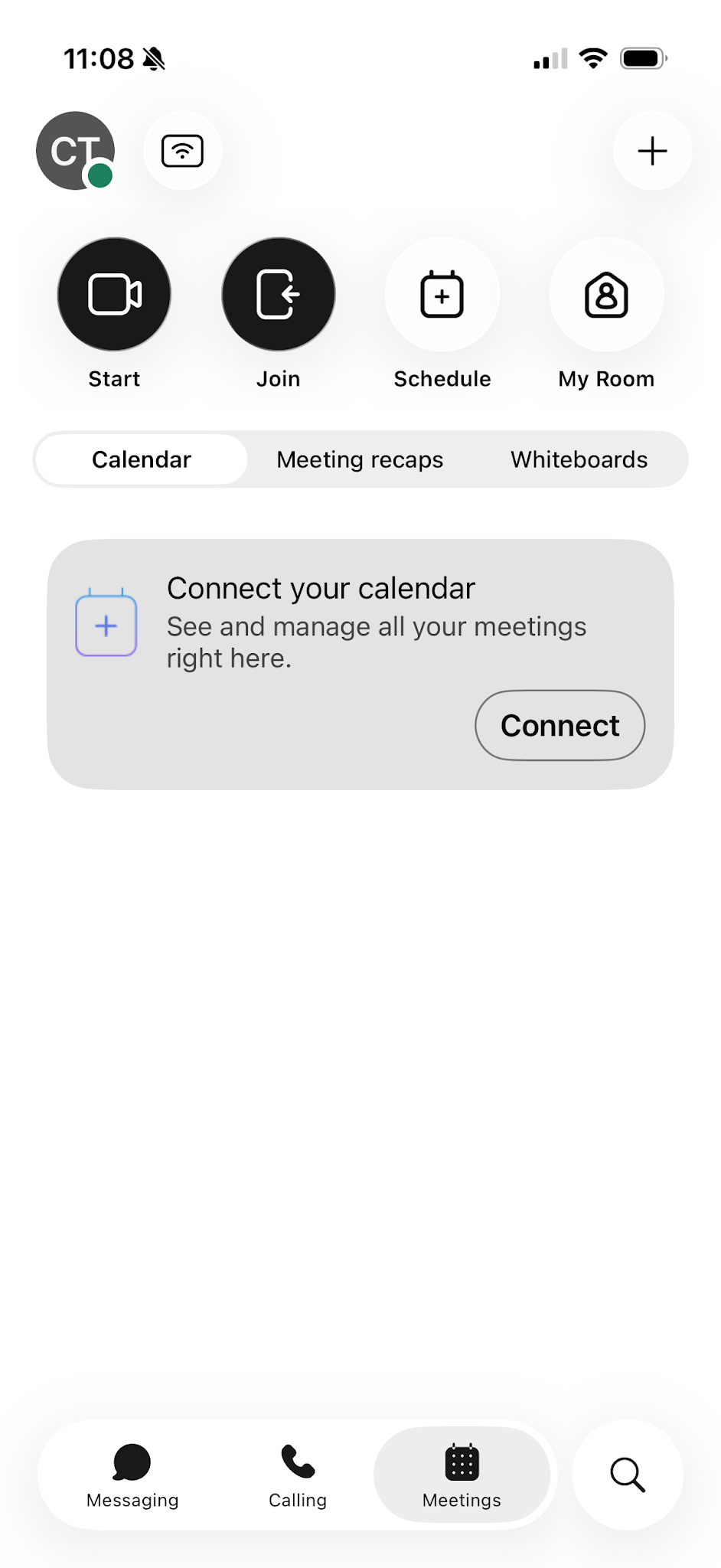
Meeting types
Webex offers a variety of collaboration options to personalize your experience.
Personal Room meeting
A Personal Room meeting uses a dedicated meeting space that belongs to you. It's great for back-to-back meetings — the host can stay in one room while attendees join at different times.
- Hosting: Tap My Room on the Meetings screen, then tap Start to start your Personal Room meeting.
- Scheduling: Tap Schedule to create a calendar invite and add attendees.
- Joining: Attendees join using your dedicated Personal Room link.
Space meeting
Space meetings are meant to be impromptu and informal. Start an ad-hoc meeting directly from a space, or use it for regular team check-ins.
- Hosting: Anyone in the space can start the meeting.
- Scheduling: Tap Schedule to create a calendar invite with space members added automatically.
- Joining: Anyone invited to the space can join immediately.
Scheduled meeting
A scheduled meeting is a standard Webex meeting with a unique URL issued for each occurrence. This type is ideal for meetings planned in advance or set as recurring.
- Hosting: The host or an alternate host can start the meeting by tapping Start.
- Scheduling: Tap Schedule to set up the meeting and share a unique URL with attendees.
- Joining: Tap Join and enter the meeting link or number. Attendees can join up to 15 minutes before the meeting starts.