Hoteling host and hoteling guest
The hoteling feature temporarily loads a user’s phone profile onto another phone that supports hoteling. The profile includes a phone number, features, and a calling plan. The hoteling feature is made up of two services:
- Hoteling host - The phone used to host the guests for Hoteling.
- Hoteling guest - The user (TN) used on the host device.
When a guest logs into a host phone, their user profile is automatically transferred to the device. The host device then becomes the user's primary device while they are logged into it. Any shared devices assigned to the user being used as the hoteling guest continue to work as usual. While the guest is logged in as the host, the primary device assigned to the host device no longer works until the guest is logged out.
If a hosting guest has shared lines, speed dials, and/or monitoring keys like BLF, call pickup, and call park, these features do not appear on a host phone when the user signs in as a guest. Host phones can have shared lines configured, which are available to all hoteling users. For users with multiple devices, the hoteling feature is only supported on the user's primary device.
The following devices do not support hoteling host:
- AudioCodes MP204 Analog Telephony Adapter (ATA)
- Poly Phones (VVX201, VVX311, VVX411)
- Yealink T42S
- Yealink DECT cordless phones (W60P/W76P)
- Yealink CP920 conference phone
Configure the hoteling feature
To configure this feature:
- Log in to User Hub.
- Click Devices.
- Select the device to manage.
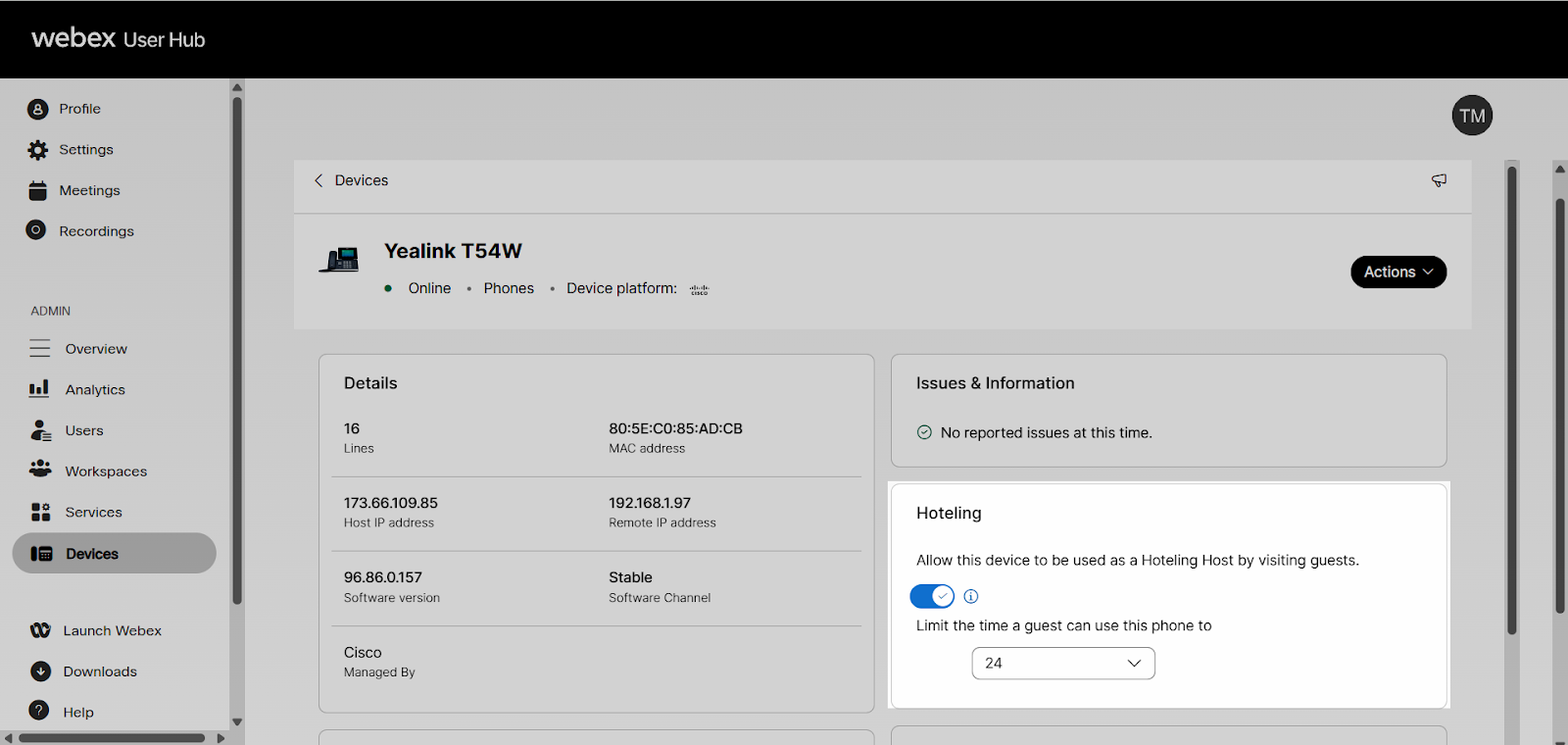
- Use the toggle to enable hoteling.
Note: If hoteling is turned on, the time limit for a guest using this phone can be set to specify the number of hours the hoteling host can be active on that phone before hoteling is automatically turned off. The default value is 24 hours.
- Click Users.
- Select the user to manage.
- Click Calling.
- Select Hoteling under Between-user permissions
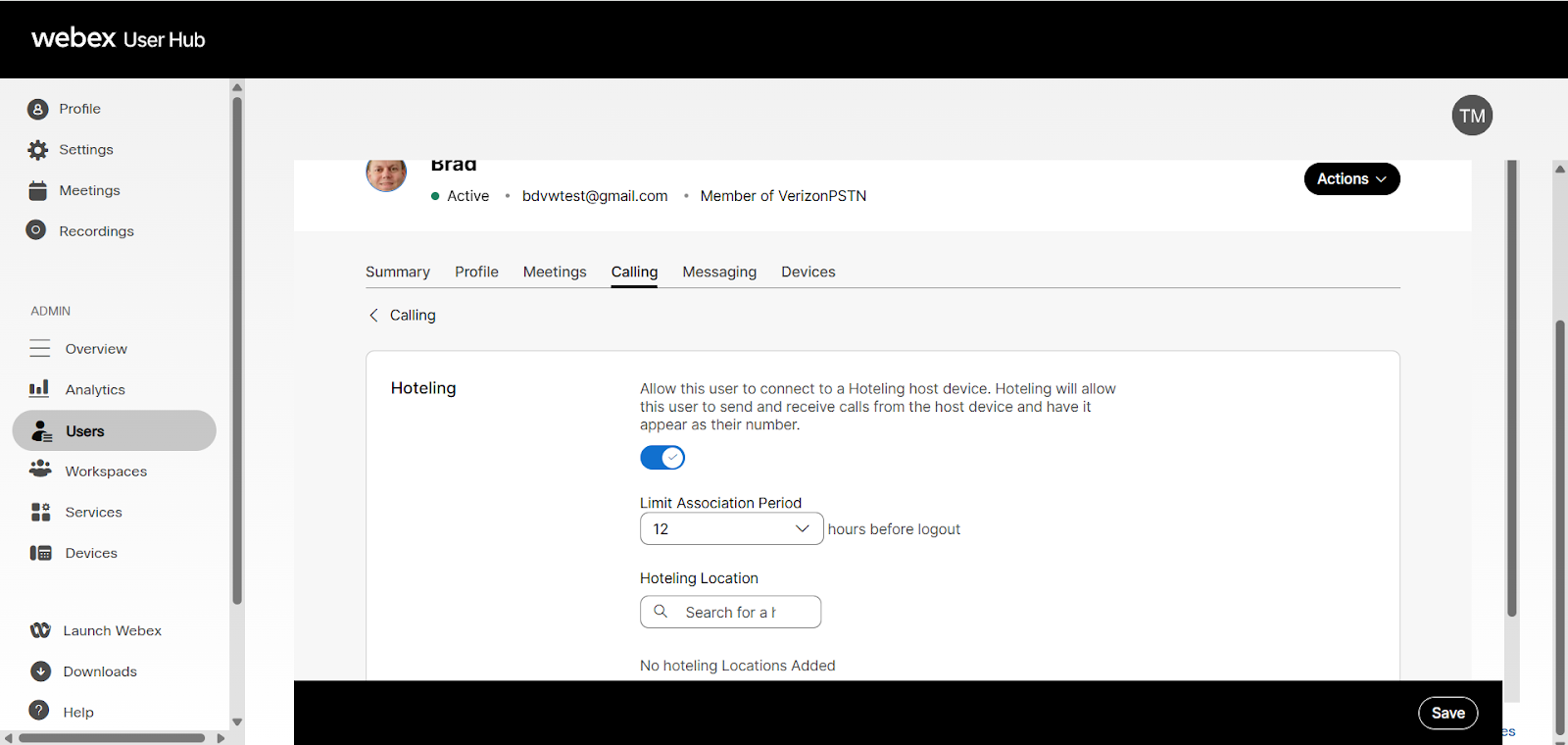
- Select Hoteling to enable.
- Set the Limit Association Period setting to set the number of hours the hoteling host works on the phone that is assigned as the primary device before turning off automatically.
- Note: The default value is 12 hours.
- Navigate to Hoteling Location; select search.
- Select the user to set as the host on the primary device.
Note: This setting assigns the user selected as the host on the primary device of the user being managed.
- Click Save.