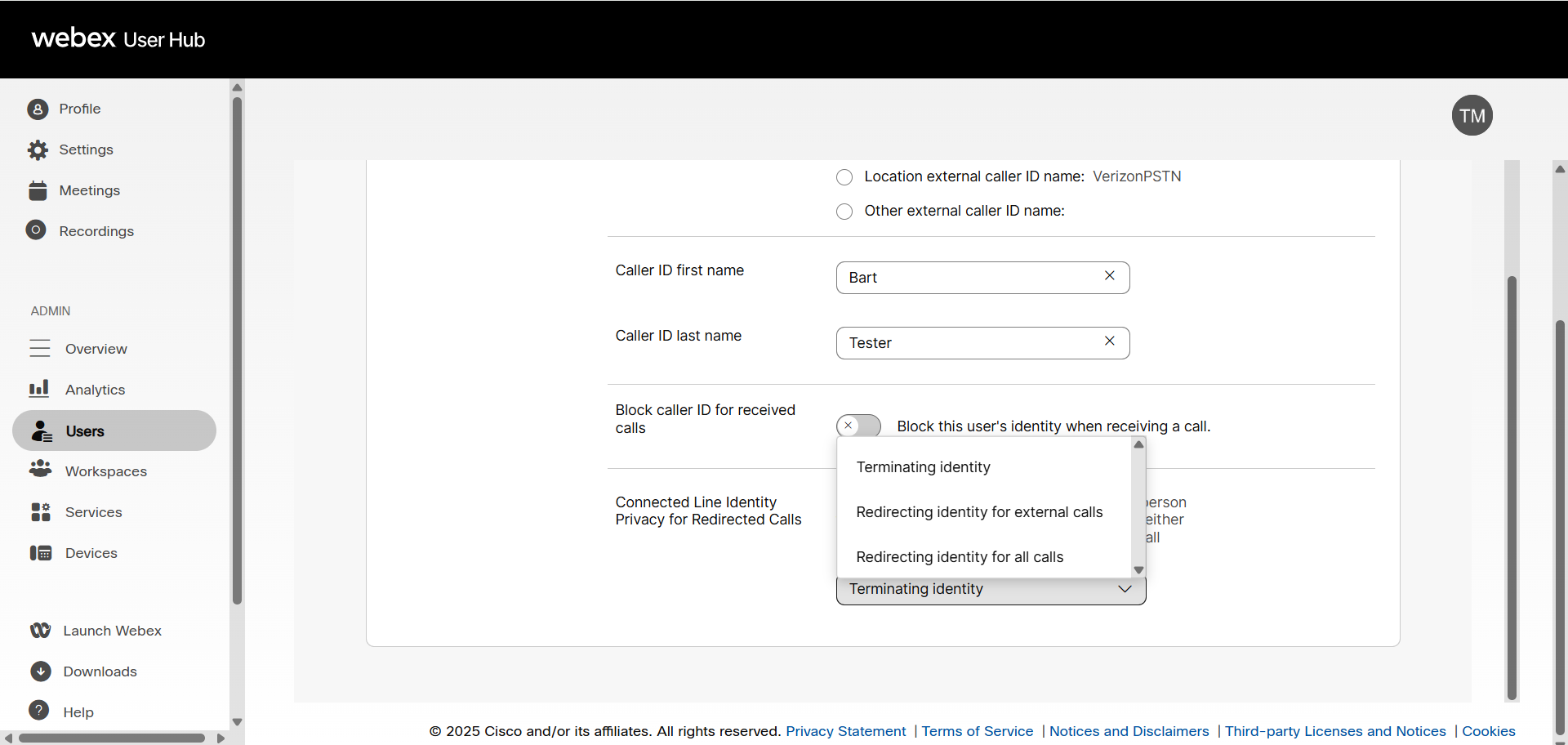
Connected line identity for redirected calls
The connected line identity for redirected calls feature sets what caller ID number is displayed to the caller when a call is forwarded or transferred.
The following apply to this feature:
- The default setting is terminating identity.
- This setting only works with a VoIP provider that supports this feature. All other callers, such as landline or mobile phones, typically don't support this feature and this setting does not affect how the call is displayed in that instance.
- This feature is only applicable if call forwarding or business continuity is set up; it does not apply if the calls are not being forwarded to another number.
Configure connected line identity for redirected calls
To configure this feature:
- Log in to User Hub.
- Click Users.
- Select the user being managed.
- Click Calling.
- Select Caller ID under Numbers.
- Manage the following options under the Connect Line Identity for Redirected Calls section:
- Terminating identity- The final destination caller ID to whom the call is forwarded or transferred to is revealed to the caller. This applies to both internal and external calls and is also the default setting.
- Redirecting identity for external calls - The final destination Caller ID to whom the call is forwarded or transferred to is revealed to the caller for internal calls only.
- Redirecting identity for all calls - The final destination Caller ID to whom the call is forwarded or transferred to is not revealed to the caller.
Note: This setting only works with VoIP carriers that support displaying connected line identity for redirected calls. Landline and mobile phones may not support this setting. This feature is only applicable if call forwarding is enabled. This setting does not apply if the calls are not forwarded to another number.
- Click Save.